Step 1
Click plus next to tags

This opens the popup form for adding a new user-defined tag.
Let's tag all Fake OS games on Steam!
We made this tool to help the InterfaceX community to add the Fake OS tag to all games heavily featuring made-up operating systems and imaginary devices (often also called Interface Sims or Interface Dramas). We hope that enough consistent bottom-up tagging makes it easier for Valve to recognize Fake OS as an official tag and helps all of us find these games more easily.
0 tagged here and 0 games left in your list.
How To Tag On Steam
When you open a Steam page from this site then we will copy the Fake OS tag to your clipboard. You can also press S or use the matching control under Controls. On the Steam page, follow this sequence: click plus next to tags, paste Fake OS and add, then wait for the checkmark.
This opens the popup form for adding a new user-defined tag.
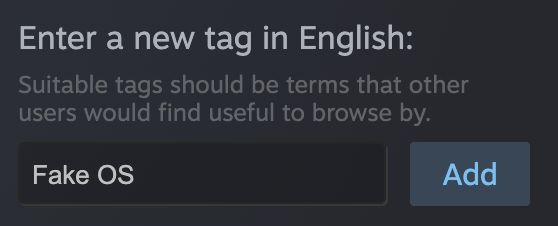
Use the automatically copied tag text, then press Add.

If you see the checkmark, the tag went through and you can move on.
Controls